
Keep up with changing prices
New invoice prices update the recipes that use them. Spend less time recalculating and see which dishes need a closer look.
Know your dish costs →For independent restaurants and growing groups
Supplier prices change. Your recipe costs should keep up. DigiChef updates affected recipes when new invoice prices arrive, so you can make informed menu decisions and give your team a clear guide to every dish.
Clearer menu decisions. Less spreadsheet upkeep. More consistent dishes.
30-day free trial.
Why choose DigiChef?
Your invoices, recipe costs, and kitchen guides belong together. DigiChef helps you turn what you buy into clearer menu decisions and a consistent plate.
New invoice prices update the recipes that use them. Spend less time recalculating and see which dishes need a closer look.
Know your dish costs →See the ingredients behind a dish’s cost before changing a portion or menu price. Bring the numbers to your next supplier or kitchen conversation.
Plan with clearer costs →The recipe you cost is also a reference your team can cook from. Keep quantities and methods together, with printable guides for prep and plating.
Give cooks a clear guide →
“DigiChef has changed the way I look at food cost. It makes tracking and adjusting for rising food costs a breeze. Menu creation is easy and intuitive, and the effortless plating guide creation is invaluable.”
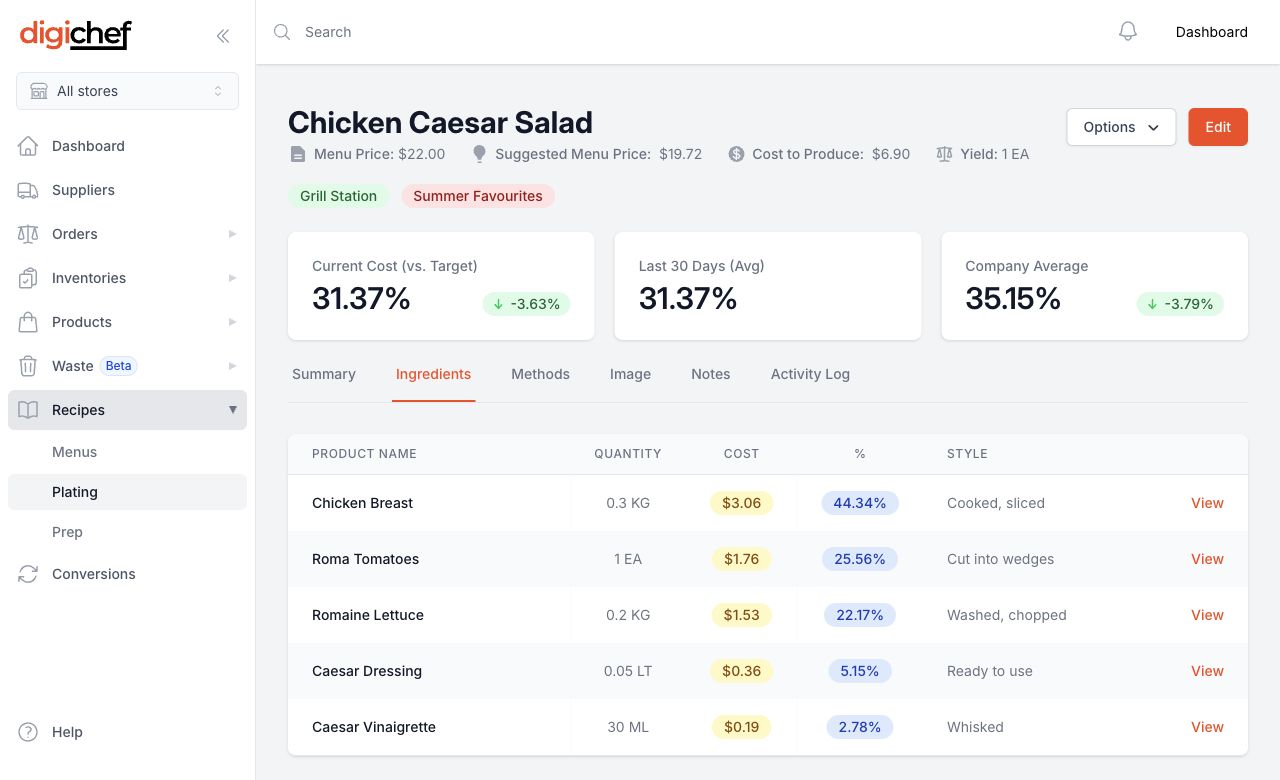
Know what goes into each dish and what it costs. As new invoice prices arrive in DigiChef, affected recipe costs update, so you can spot what needs attention before changing your menu price.
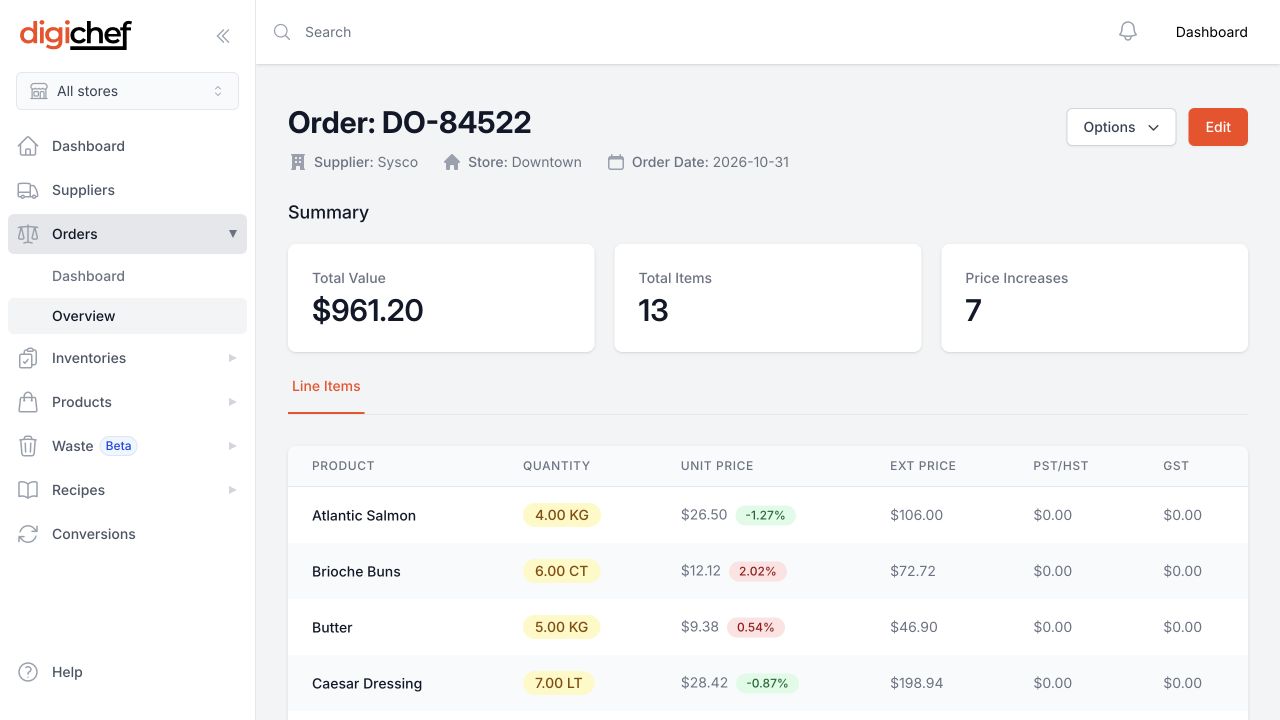
Bring in supported supplier invoices, upload PDFs, or enter purchases manually. Review invoice details and spending history without working through a stack of paperwork.
From invoice to menu
Connect a supported supplier feed, upload a PDF invoice, or enter a purchase manually.
Add your ingredients, quantities, yields, and menu prices. Start with the dishes you want to understand first.
Review updated recipe costs, then decide whether to adjust a portion, ingredient, supplier, or menu price.
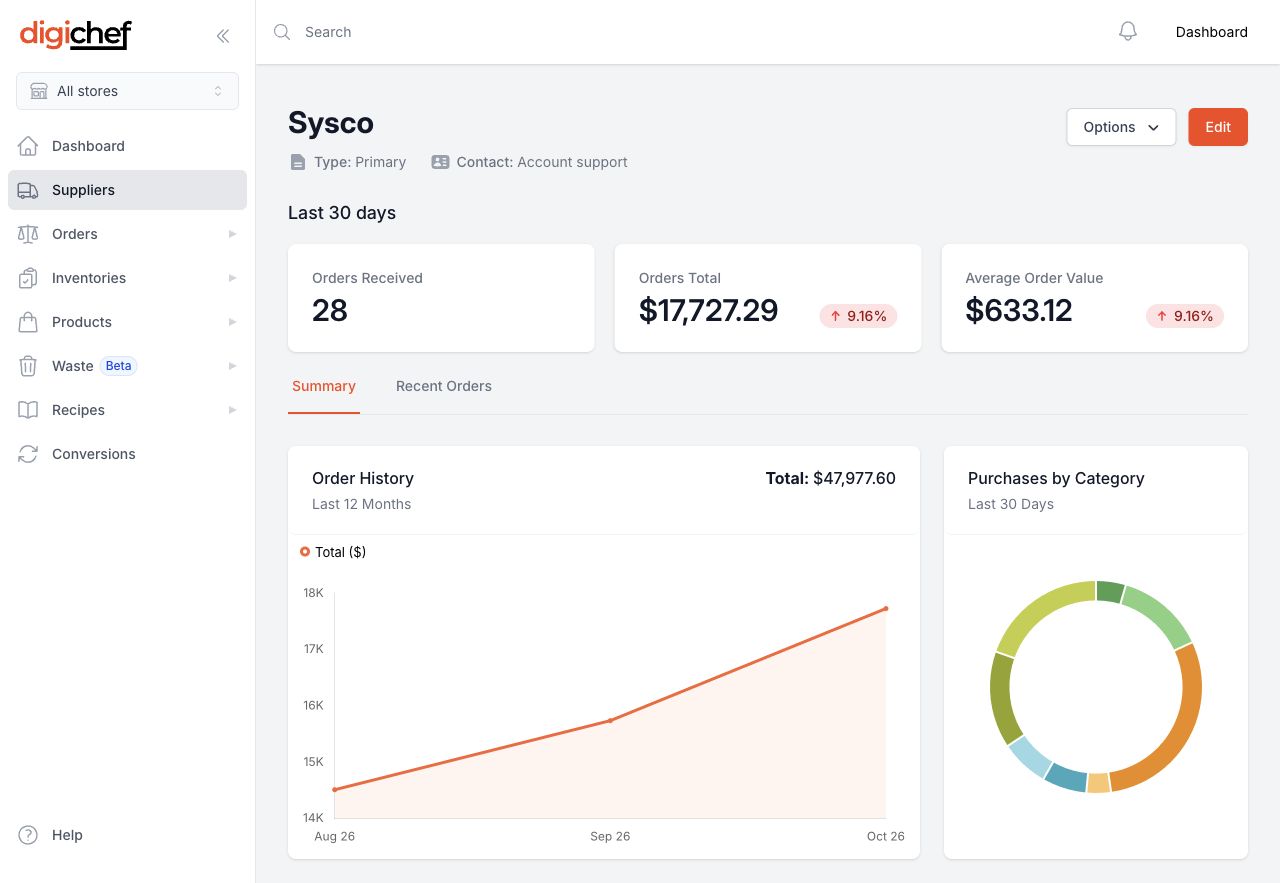
Review spending by supplier and category, then open the invoices behind the totals. Bring the details to your next supplier conversation.
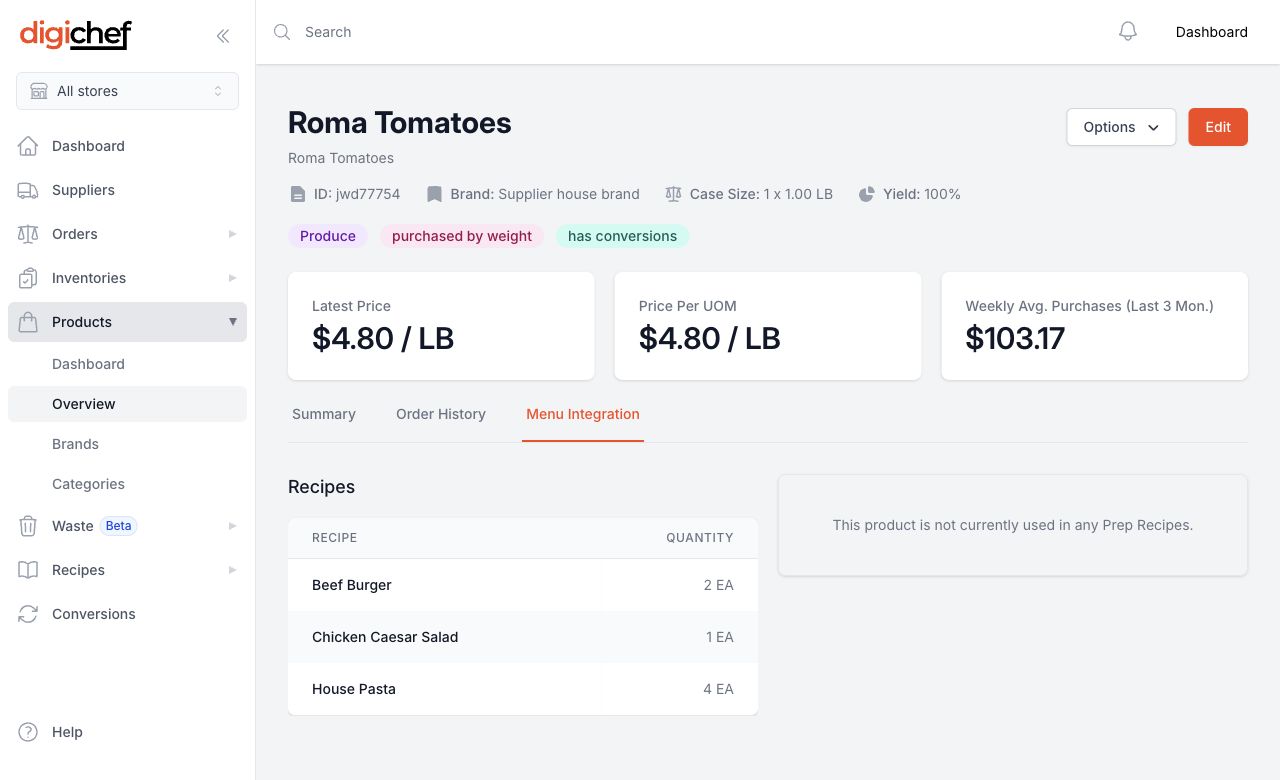
See what you’ve paid for a product and which recipes use it. When a case price changes, find the dishes that need a closer look before deciding what to do.
One kitchen or a growing group
Running two restaurants shouldn't mean twice the spreadsheet upkeep. Keep recipes and purchasing information together, so your team spends less time chasing details.
See what a restaurant is buying and open the invoices behind a change. Bring useful details to your next check-in with the manager.
Keep prep methods, ingredient quantities, and plating instructions with your recipes. Print guides for the kitchen.
Manage supplier account details by store so purchasing records stay connected to the right location.
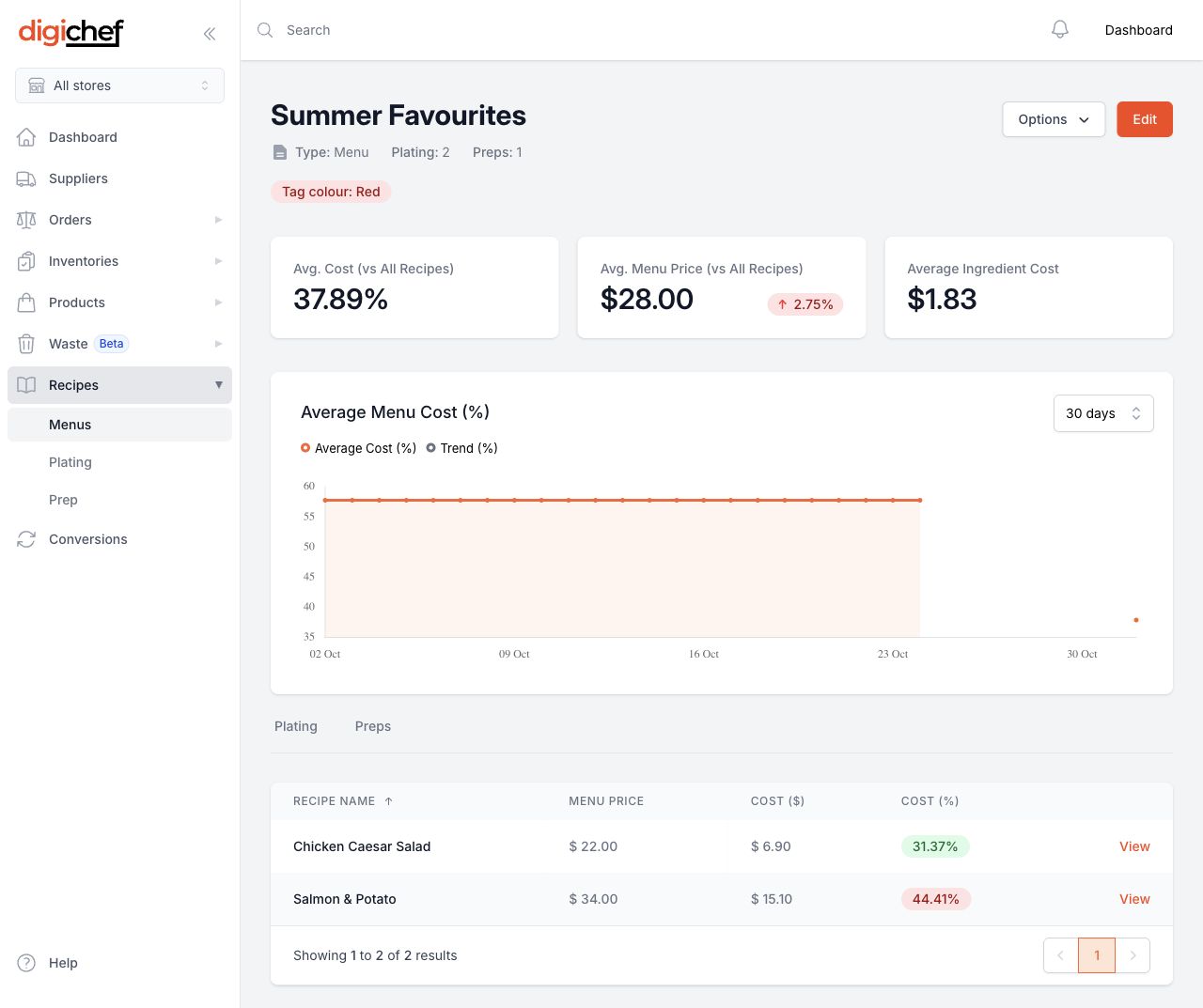
Bring dishes together, review their costs, and decide what needs attention before launching a special or updating your menu.
Explore menu planning →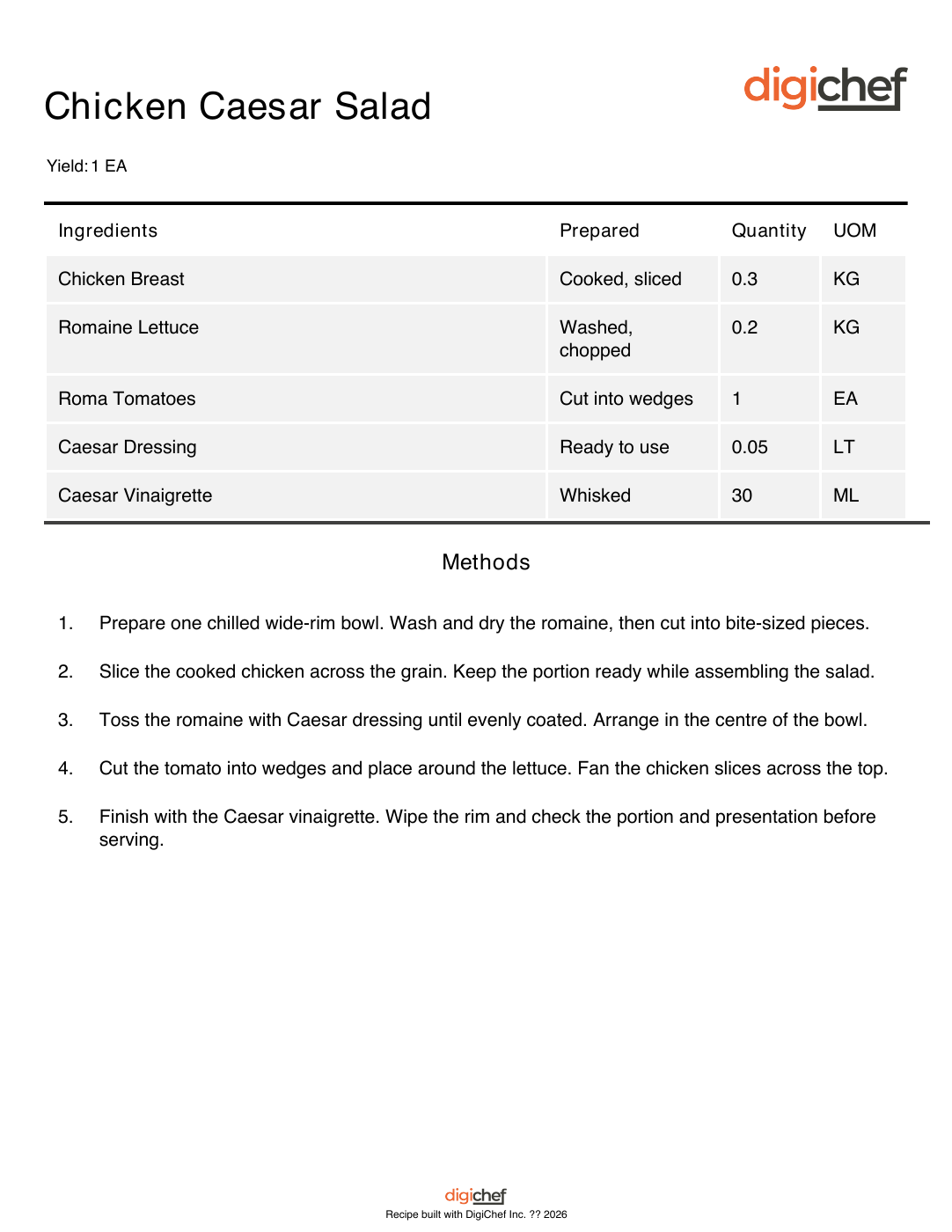
Give the team a clear reference for prep and plating. Keep portions, methods, and images with recipes, and print guides for the kitchen.
Explore kitchen guides →Choose by recipe count, invoice volume, and the detail you need. Pricing is per location.
Prices in Canadian dollars (CAD), per location. Yearly prices are shown as a monthly equivalent, billed annually. Confirm your total at signup.
The 30-day free trial uses Basic. Supplier feeds require setup; PDF import limits depend on your plan. Find the right plan for your restaurants.
$99/month per location
For a focused menu and a smaller monthly invoice volume.
More recipe capacity
$149/month per location
For rotating menus and kitchens that need more recipes and invoice imports.
$299/month per location
For larger recipe collections and higher invoice volumes across your operation.
DigiChef is built for independent operators, chefs, and small restaurant groups who want clearer recipe costs and purchasing records. Whether you run one kitchen or several locations, you can start with invoices and the recipes that matter most to you.
No. Automatic invoice feeds work with supported suppliers after setup. You can also upload PDF invoices or enter purchases manually. Contact us to check your suppliers and invoice formats before choosing a workflow.
When new invoice prices arrive in DigiChef, the affected recipe costs update. Changes you make to ingredients or portions also affect the cost, helping you keep menu decisions grounded in what your kitchen uses.
It tells you the ingredient cost of a dish based on your recipe and prices. That’s useful for reviewing portions and menu prices, but profit also depends on waste, labour, rent, and other expenses.
The 30-day free trial uses the Basic plan. Bring in invoices and build a few prep and plating recipes to see the workflow with your own information. If you need more capacity or have several locations, request a demo to discuss the right plan.
Start with your own invoices and a few key recipes. Or walk through DigiChef with us and talk about what your kitchen needs.
30-day free trial.